The Photo Gate
A rule, not a reminder.
The Photo Gate is RTI’s rule that a crew’s inspection cannot be submitted until every required item is answered and every required photo is attached, checked on the server. Most inspection apps ask for photos. RTI refuses the submission without them.
- Re-checked on the server
- Every required photo, item by item
- Names what is missing
- Supply lines pressure tested Pass
- Drain slope verified Pass
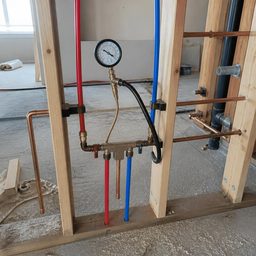
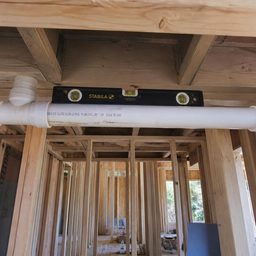
What goes wrong when photos are optional
Ticked, not proven
An item is marked done with nothing behind it, and the reviewer has to take it on trust.
Photos later
The crew means to add the photos after the walk, and the inspection moves on without them.
A button, not a rule
A check that only greys out a button holds until something sends the record without the screen.
With the Photo Gate
- No photos, no submission
- Checked where the record is written
- Every required photo attached
A UI check is a suggestion; RTI’s check runs on the server, where the record is written.
Try it
The submit button does not care how busy you are.
This is the field screen, on a phone. Attach the required photos and watch the gate release. Skip one and the record never gets written.
RIV-A-F3-305
Unit 305 · Electrical rough-in
Wire pulled and secured
Photo required
Boxes at correct height
Photo required
Grounding continuous
No photo needed
Circuit schedule matches drawings
No photo needed
2 more photos to unlock
Three layers, one rule
Browser: the button stays locked
The crew sees exactly what is missing, whether unanswered items or 1 of 3 photos, and the submit control stays locked. Helpful, not sufficient.
Server: the request is refused
The gateSubmission runs through a single server routine that re-counts mandatory answers and attached photos. Short by one photo, the call fails and nothing is promoted.
Database: the constraint holds the line
Row-level security accepts a new inspection only as a draft, and a crew cannot change an inspection’s status directly. A check constraint keeps every checklist’s photo minimum at one or more.
What the server checks at submit
- Every required item is confirmed, or marked Fail where the workspace allows it.
- Each item that needs photos has its minimum attached.
- Every item marked Fail has a written observation.
- The checklist’s photo minimum, one or more, is met.
- Where the workspace blocks reuse, no photo is reused from another inspection of the same tag.
Three moments it decides
Use case 1
One photo short
When a crew tries to submit a rough-in one photo short, the submit stays locked and names the item still waiting for its photo.
Use case 2
A failure, on the record
When an inspector marks an item Fail, the inspection waits for a written observation of what failed before it can be submitted.
Use case 3Opt-in
A reused photo
When a workspace sets Photo integrity to Block, a photo reused from another inspection of the same tag is refused at submit.
Setting the rule for a checklist
Mark the required items
In the checklist builder, turn on Required for each item that has to be answered before submit.
Ask for the photos
Turn on Photo required for each item that needs evidence, and set how many photos it needs.
Choose how strict the workspace is
In Workspace settings, Photo integrity can warn reviewers about reused photos or block them at submit, and Submit failed required items lets a defect be reported as found.
What it doesn’t do
- It does not judge what a photo shows. It counts the photos each item needs; whether they prove the work is the reviewer’s call.
- It does not approve anything. Passing the gate puts an inspection in front of a reviewer, and an inspection with a failed required item can never be approved.
- It does not certify the work. RTI documents the inspection; the AHJ or the licensed professional on the job accepts it.
Questions about the Photo Gate
5 answers
- What is the Photo Gate?
- The Photo Gate is RTI’s rule that an inspection cannot be submitted until every required item is answered and every required photo is attached. It runs on the server when the inspection is submitted, so a crew cannot get around it by skipping the app’s screen.
- Can a crew submit now and add the photos later?
- No. The inspection stays a draft until its photos are attached, and only a submitted inspection reaches the review board. The crew keeps working on the draft and submits once the evidence is there.
- What exactly does the gate check?
- The gate checks that every required item is confirmed (or marked Fail, where the workspace allows it), each item that needs photos has its minimum, every item marked Fail has a written observation, and the checklist’s photo minimum is met. A workspace can also have it refuse photos reused from another inspection of the same tag.
- Does the Photo Gate check what a photo shows?
- No. It counts the photos each item requires and refuses the submission until they exist. Whether a photo proves the work is decided by the reviewer on the review board.
- Is the Photo Gate just a disabled button?
- No. The disabled button is only the first layer. The server re-counts answers and photos when the inspection is submitted and refuses it if anything is short, and the database accepts a new inspection only as a draft and does not let a crew change its status directly.
Try it on a real walk.
Build a checklist, print a sticker, and see what happens when the photos aren’t there.
30-day trial · No card required