The Smartsheet integration that keeps your tracker current
Ready To Inspect writes each reviewed inspection into your Smartsheet tracker, so the row for that tag shows the result without anyone typing it in.
- One way, RTI to Smartsheet
- Matched on the tag column
- Queued and retried
Made for teams that run the job in Smartsheet
- QA/QC managers who report inspection status in a Smartsheet tracker
- Superintendents and project managers who plan the next trade from a sheet
- Owner's reps who keep the inspection log for the owner in Smartsheet
- The sheet updates when the review is decided, not when someone finds time to type it in.
- Each row can carry the reviewer, the review date, the photo count and a link to the record.
- A push that fails is retried, and one that cannot land is flagged to admins, not lost.
What goes wrong when the status lives in two places
Double entry
Someone re-types each inspection result into the tracker, late or not at all.
Stale status
The sheet still shows a room as open after it passed, so the next trade waits on old news.
Status without proof
A cell that says passed has no reviewer, date or photos behind it.
With the integration
- Inspection status in Smartsheet, no re-typing
- One tag, one row, kept current
- Every push queued, retried and logged
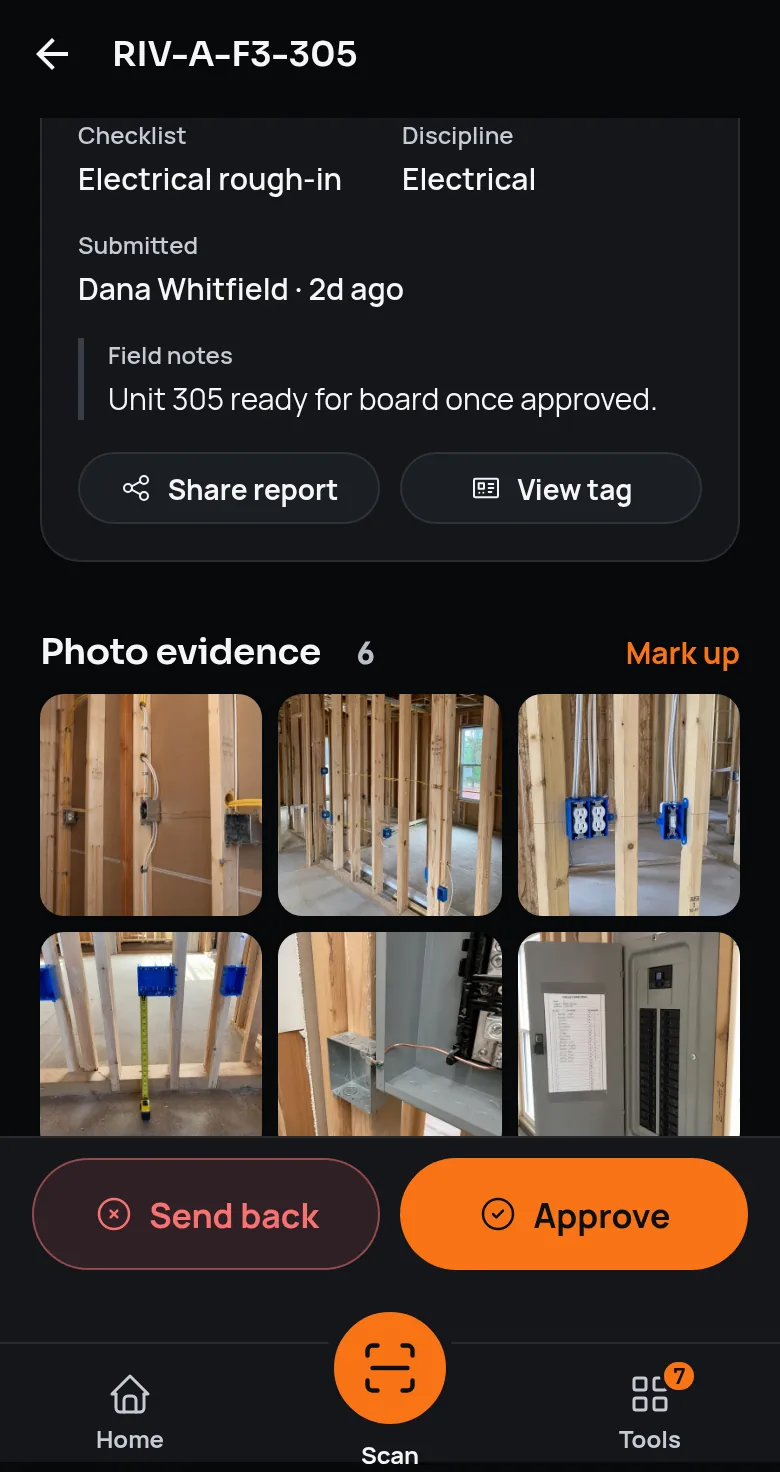
When a QA/QC manager approves an inspection or sends it back, RTI finds the row whose tag matches and writes only the columns you mapped, adding a row when none matches.
From the review board to Smartsheet
Connect the account
Reads from Smartsheet- Who acts
- A workspace admin
- In RTI
- Pastes a Smartsheet personal access token into Integrations. RTI encrypts it before storing it and never shows it again.
- What RTI sends or reads
- RTI asks Smartsheet whose token it is, so a token that does not work is refused before it is saved.
- Trigger
- Connect Smartsheet
Pick the sheet, map the columns
Reads from Smartsheet- Who acts
- A workspace admin
- In RTI
- Chooses a default sheet and maps RTI fields to its columns, starting with the tag column, the match key. Any project can have its own sheet and mapping.
- What RTI sends or reads
- RTI reads the sheet list and the column titles and suggests matches by column name. A preview shows what a push would write, without writing it.
- Trigger
- Select sheet, then Map columns
Send a test row
Writes to Smartsheet- Who acts
- A workspace admin
- In RTI
- Runs Test connection, the last setup step.
- What RTI sends or reads
- RTI writes one sample row tagged RTI-TEST-CONNECTION. Delete it once you have seen it land.
- Trigger
- Test connection
Approve or send back
Writes to Smartsheet- Who acts
- A QA/QC manager
- In RTI
- Decides an inspection on the review board or in the mobile app.
- What RTI sends or reads
- RTI finds the row whose tag cell matches the inspection's tag and writes the mapped columns, or adds a row at the bottom when no row matches.
- Trigger
- Approve or send back
Retry until it lands
Writes to Smartsheet- Who acts
- RTI
- In RTI
- Queues each push before sending it and rebuilds the row from the current record on every try. Delivery health shows what was delivered, what is waiting and what failed.
- What RTI sends or reads
- The same write, tried up to five times, waiting at least 1, 5, 30 and then 120 minutes. A push that still fails is held, and admins are told to retry it from Recovery.
- Trigger
- A push that does not go through
The row RTI writes
| Field | Example value |
|---|---|
| Equipment tagMatch key | RIV-A-F3-210 |
| Equipment type | Unit |
| Project | Riverside Commons |
| Location path | Riverside Commons › Bldg A › Floor 3 › Unit 210 |
| Inspection status | Approved |
| Submitted by | Sam Cortez |
| Submitted date | 2026-09-12 |
| Reviewed by | Alex Rivera |
| Reviewed date | 2026-09-14 |
| Checklist name | Electrical rough-in |
| Compliance score | 6/6 pass |
| Photo count | 3 |
| Defects / reviewer notes | No open defects |
| Link to inspection | …/review-board?submission=8f2a… |
Three moments it handles
Use case 1
Approvals into the tracker
When a QA/QC manager approves an inspection, its row in your tracker changes to Approved, with the reviewer and the date in the columns you mapped.
Use case 2
Rework where the trades look
When an inspection is sent back, its row changes to Rejected, and the reviewer's notes land in the notes column if you mapped one.
Use case 3
A sheet for each project
When a project keeps its own tracker, RTI writes that project's inspections to its sheet and every other project's to the default sheet.
Setting up the connection
Generate a token in Smartsheet
In Smartsheet, open Account, then Personal Settings, then API Access, and generate a new access token.
Connect it in RTI
A workspace admin opens Integrations, then Smartsheet, and pastes the token. RTI checks it with Smartsheet before saving it.
Select the default sheet
Pick the sheet that every project writes to unless it has its own.
Map the columns
Map the tag column first, then the fields you want. RTI suggests matches by column name, so check each one, and preview the row before you save.
Test the connection
Write one labelled test row to prove the connection end to end, then delete it.
Give a project its own sheet
Optional. Under per-project sheet mappings, point any project at another sheet with its own columns.
What it doesn't do
- It does not read edits back. Changing a cell in Smartsheet never changes the RTI record.
- It does not push a new submission on its own. Automatic pushes follow approvals and send-backs, and Sync all now pushes every inspection when an admin runs it.
- It does not send photos or files. The sheet can get the photo count and a link to the inspection in RTI.
- It does not create sheets or columns, and it never deletes a row. It writes only the columns you mapped, on the row it matched or the row it added.
- It cannot place an inspection without a tag. With no tag, or no tag column mapped, the push is skipped and the reason is logged.
- It runs on one person's token. If that token is revoked, Smartsheet is disconnected and admins are told to reconnect, and a sheet the token cannot edit gets nothing until it has Editor access.
Questions about the Smartsheet integration
6 answers
- Does RTI's Smartsheet integration sync both ways?
- No. It is one way, from RTI into Smartsheet. RTI reads from Smartsheet only to check the token, list your sheets and columns, and find the row with a matching tag. Editing a cell in the sheet never changes the RTI record.
- When does RTI write to Smartsheet?
- When a QA/QC manager approves an inspection or sends it back. A new submission is not pushed on its own. An admin can also push every inspection at once with Sync all now, or pause pushes while a sheet is reworked; paused pushes keep queuing and send when pushes resume.
- How does RTI find the right row in my sheet?
- By the tag column. RTI looks for the row whose tag cell matches the inspection's tag and writes only the columns you mapped, so every other column, formulas included, stays as it is. If no row matches, RTI adds one at the bottom.
- What happens when a push to Smartsheet fails?
- The push is queued before it is sent, so it is not lost. RTI tries it up to five times, waiting at least 1, 5, 30 and then 120 minutes. If it still fails, the workspace's admins and QA/QC managers are notified, and an admin can retry it from Recovery on the Integrations screen.
- How is the Smartsheet token stored?
- Encrypted with AES-256-GCM before it is saved. RTI decrypts it only on the server, when it calls Smartsheet, and never sends it back to the browser or shows it again.
- Do inspection photos go to Smartsheet?
- No. The sheet can get the photo count and a link to the inspection in RTI. The photos, the checklist answers and the tamper-evident record stay in RTI, where the turnover package is built from them.
Resources and contact
Questions about your Smartsheet setup?
Your message goes to the founder, a Certified Building Official, with no sales sequence in between. Support questions go to the support inbox.
Smartsheet is a trademark of its owner.
See it on a real job.
Tag one area, run one walk, and see the record it leaves behind.
30-day trial · No card required